We have another funky guide for you all. Object detection running on a microcontroller hardware? We are of course looking at the Grove Vision AI V2, a little board capable of running very usable object detection models at only 0.35 Watts! This is one of the easiest computer vision guides we have ever done as well, its wickedly fun, get amongst it! “Getting Started with the Grove Vision AI V2 | Power Efficient Object Detection: Read more”
Thanks for the kind words man, really means a lot! I get a lot of the credit for being on camera and the face of it, but there is a team of people here at Core that make the videos as good as they are!
And to the owners of Core… money spent on these videos is WAY better than buying ads. Case in point, I just bought a Pico 2W as a direct result of the Core video (featuring Jaryd)… AFTER which I started seeing a bunch of Core Electronics ads in YouTube - total waste of ad spend!
Inspired as per usual, thanks. Couple of quick questions:
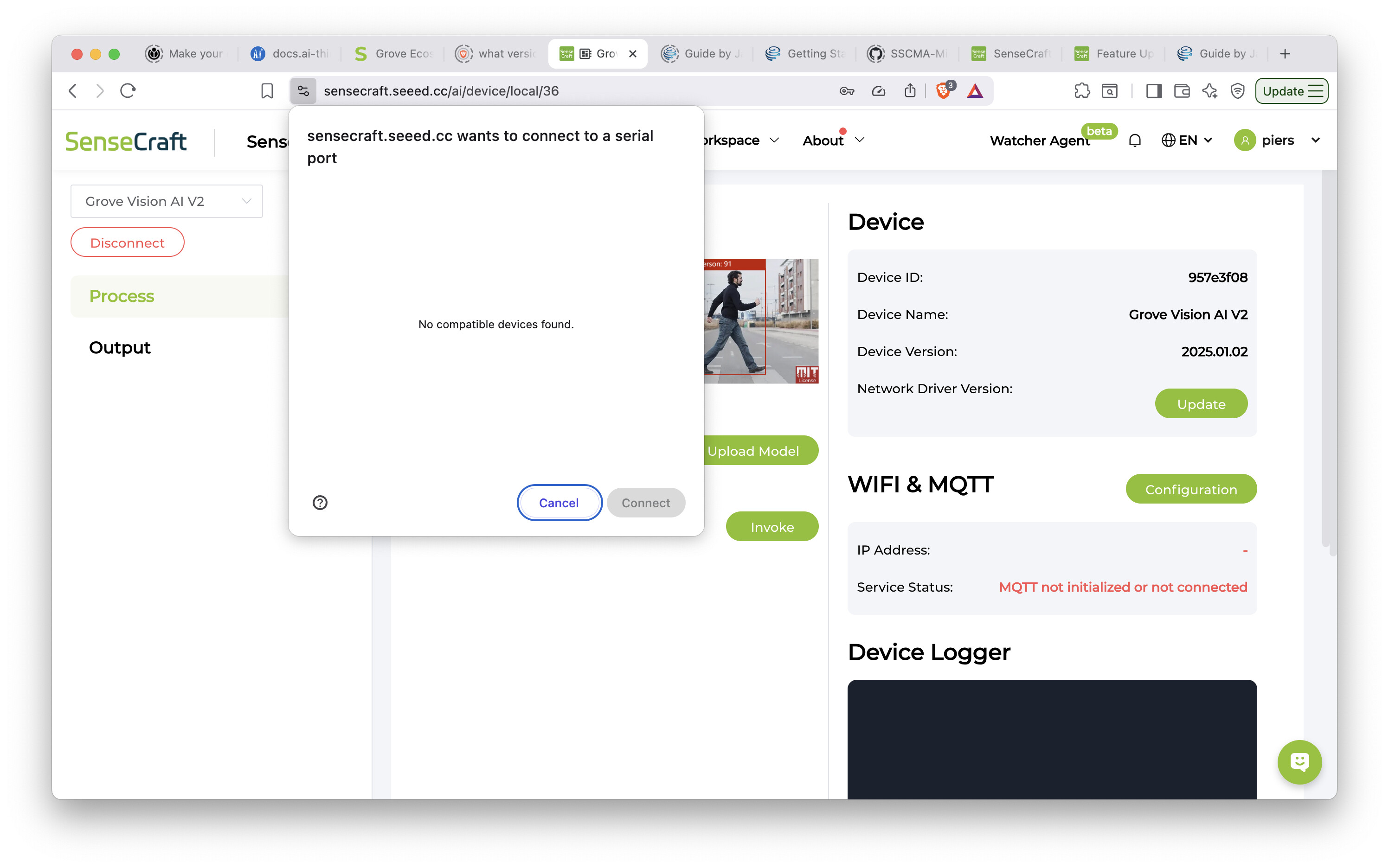
I’d like to upgrade the firmware on the Grove board but the website is demanding a serial port and a ESP32 board, and I haven’t yet plucked up the courage to do a build from scratch from the repo. Am I missing something because everything else seems so easy? and
for some reason the resolution is defaulting to 240x240 (I’m using a old Picam V1 noir). Your demo goes straight to 480x480. Can I push something up the UART to change this? CGPT seems to think I need to build it all / use Himax SDK.
actually, here’s another one. If i ever get this project to a commercial stage, would you know what the licensing situation is with these mini-models? Full on YOLO seems to attract “price on demand” - so as yet unknown - fee, and it would be handy to know what kind of costs might be waiting around the corner before taking the plunge.
Are you definitely on the SenseCraft Studio? In the top left, you should be able to select your Grove device to connect to. From there, you should just be able to hit the update firmware button without doing any building. Let us know where you have issues here.
That is a strange one. I’ve had a look through the AT commands and can’t find anything to change the camera resolution. The Grove documentation recommends using an OV5647-based camera module, and I think v1 NoIR is based on a Sony sensor. I would like to chalk it up to this. The good news is that the actual processing resolution of the Grove board is only 192x192, so both 240x240 and 480x480 have more pixels than neede,d and I don’t think you will really notice a difference in terms of performance.
That is a tricky one and depends entirely on the model itself. There are quite a few different models and sources in the studio. Full on YOLO is actually open-source - the research is free to the public. Then companies like Ultralytics come along and bundle everything up so its nice and easy to actually deploy and use these models - this is where you will be charged a commercial fee. I have never looked into the process of getting a model going from scratch, but there is a pathway to do so, quantize and cut it down to optimise it for the Grove board and not worry about any licensing fees!
Tx for 2 & 3 - I guess resolution doesn’t matter so much if the processing will only be done at 192x192. And for YOLO, I’ll figure out how to stick to open source if we ever get that far.
See attached screenshots for the upgrade issue: it seems to want me to be hooked up to ESP32 rather than directly.
BTW, since I’m in Europe and therefore highly unlikely to be able to reward Core for your help, I can only hope that these exchanges will be of use to people who can!
Hello, thought I’d post the solution since I’ve since found it.
As the message on the screen indicates, you need a Xiao ESP32 to upgrade the firmware. These come with (separate) header pins so hooking them up to the Grove is a doddle. Just follow the on-screen instructions and it takes about a minute.
Cheers,
Piers
Hi @Jaryd . Shouldn’t it be: uart.write("AT+INVOKE=1,0,1\r ) in order to do not get the image. In the description of this command on the seeed-studio website we have: pattern: AT+INVOKE=<N_TIMES,DIFFERED,RESULT_ONLY>\rRESULT_ONLY means the event reply will only contain the result data, otherwise the event reply will contain the image data. So the last one should be set to 1 in order to do not get the image.