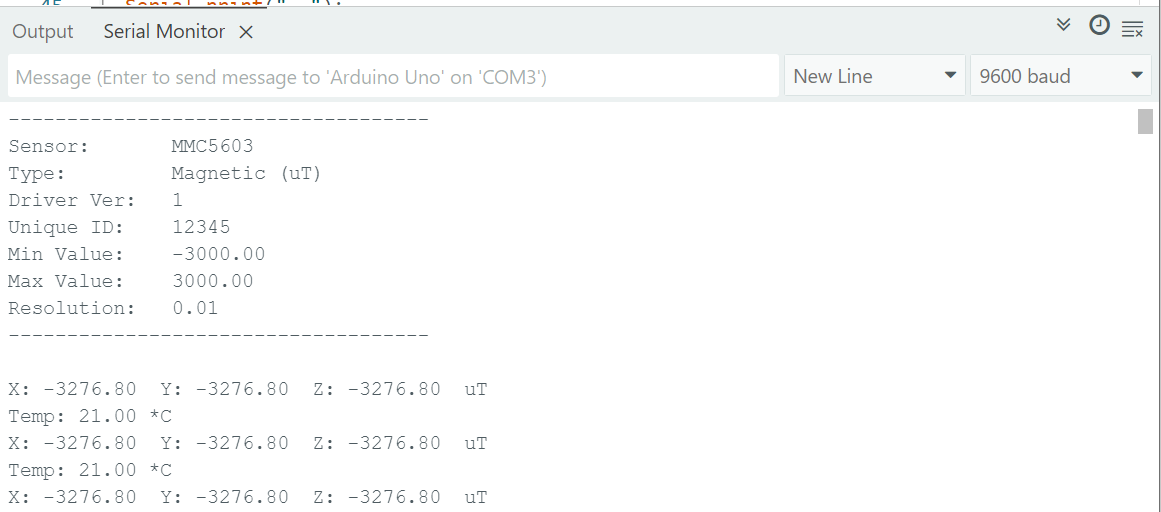
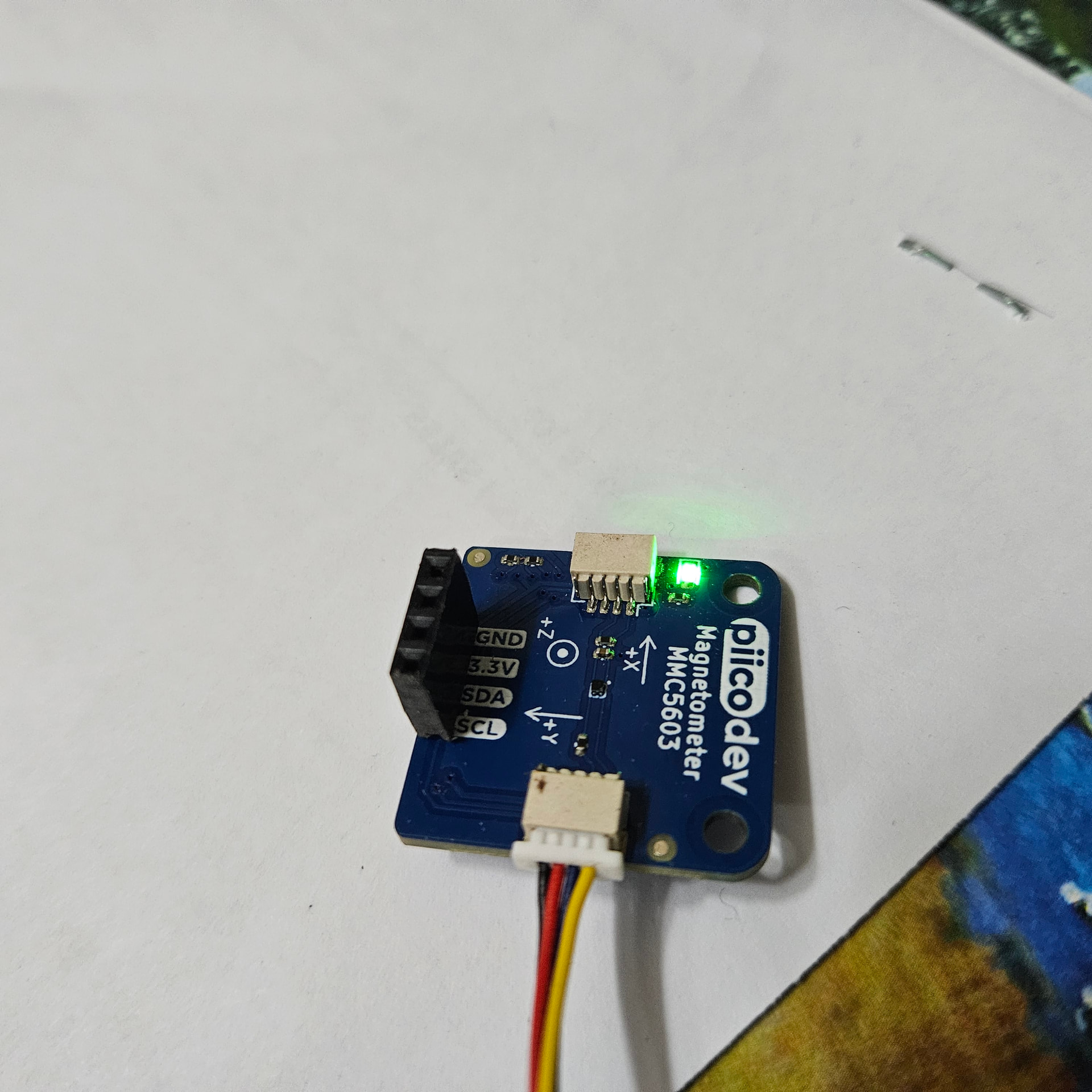
Hello, I have connected a PIICODEVC MMC5603 magnetometer to an Arduino R3.
I have used multiple test scripts and the I2C scanner script. The chip is found and communicates. It has the correct address, baud rate is correct. The sensor returns the sensor details and the temperature but I cant get any reading on the xyz axis. I have used 3 different breakout cables all with the same result. I have also tried the reset function in the script all to no avail. The only thing I can find online is adafruit saying it is a soldering issue. I am using the qwic connector?
Hi Andrew
Don’t know much about this and have not looked up any details on MMC5603 but one thing stands out.
You specify Min Value -3000 and Max Value 3000. Well your system does not seem to take any notice of this as your reading seems to be -3276 which is in excess of your min value.
Any clue there???
A bit difficult to get a soldering mistake there. BUT bad crimps are not exactly unknown so would be worth a check. I haven’t had a lot to do with these connectors but can you get it reversed. That would do no good. Or maybe the soldering connector to board is faulty.
Cheers Bob
Would it be possible to send through a link to the library you are using?
What product ID do you see from the device?
If you have a magnet closeby, are you able to get a reading from any axis reversed?
Hi Andrew
Forgot to ask above
Excuse my ignorance but just what do those numbers represent. Suppose I could look up the module details ut easier if someone could tell me.
Cheers Bob
I dont believe that it is soldering or crimp as the sensor details and temperature are going through so the SCL and SDA pins must have a connection. The default values are from the Adafruit_MMC56x3.h library. There is a multiplier of .0625 ( I think) to convert the raw values to ut. the -3276.80 reading indicates a null value.
To answer Liams question . It is reported as a MMC5603 and putting a magnet near sensor does nothing to the values displayed
Its strange that temperature readings are coming through but not good readings.
When developing the library, we used the datasheet to develop, cross checking with this library to ensure state management was correct.
Are you able to influence the temperature readings?
Are you able to test with a Pico and PiicoDev expansion board? Otherwise, would it be possible to send through a photo of your setup and other steps you have tried to get it to work?
The connections are very basic, just the module straight to the uno. I also soldered a header to the module last night and tried that instead of the qwic connectors, same result unfortunately.
The temperature changes if I hold the module in my hand.
Here is the script I am using. It is just the MMC5603 calibration script with some extra lines. I have also used the i2c_scanner to check that i2c was ok which it is.
#include <Adafruit_MMC56x3.h>

/* Assign a unique ID to this sensor at the same time */
Adafruit_MMC5603 mmc = Adafruit_MMC5603(12345);

void setup(void) {
  Serial.begin(9600);
  while (!Serial)
    delay(10); // will pause Zero, Leonardo, etc until serial console opens

  Serial.println("Adafruit_MMC5603 Magnetometer Test");
  Serial.println("");

  /* Initialise the sensor */
  if (!mmc.begin(MMC56X3_DEFAULT_ADDRESS, &Wire)) {  // I2C mode
    /* There was a problem detecting the MMC5603 ... check your connections */
    Serial.println("Ooops, no MMC5603 detected ... Check your wiring!");
    while (1) delay(10);
  }

  /* degauss*/
  mmc.reset();
  delay(1000);
  mmc.magnetSetReset();
  delay(1000);

  /* Display some basic information on this sensor */
  mmc.printSensorDetails();
}

void loop(void) {
  // Get a new sensor event
  sensors_event_t event;
  mmc.getEvent(&event);

  // Display the results (magnetic vector values are in micro-Tesla (uT))
  Serial.print("X: ");
  Serial.print(event.magnetic.x);
  Serial.print("  ");
  Serial.print("Y: ");
  Serial.print(event.magnetic.y);
  Serial.print("  ");
  Serial.print("Z: ");
  Serial.print(event.magnetic.z);
  Serial.print("  ");
  Serial.println("uT");

  // Read and display temperature
  float temp_c = mmc.readTemperature();
  Serial.print("Temp: "); Serial.print(temp_c); Serial.println(" *C");
  // Delay before the next sample
  delay(500);
}
Hello Liam, I have tested the same module on an Uno R4 WIFI, using Qwic connector to Qwic connector and it works. I have no idea why it wont return any axis values on the R3.
It cant possibly be that sensitive to the connection on the Dupont connectors?
That’s a super useful bit of information! While they look really similar, the processor in the R4 is very different from the one in the R3. The QWIIC connector on the R4 also uses 3.3V logic level, while the pins you are using on the R3 use 5V, which could also be related to this.
It is still very strange that the temperature is working as expected, but your axis readings are not. It may be worthwhile adding a logic level converter to your circuit to make sure your Uno R3 is getting a signal at 5V.
Otherwise, I did see some examples online of similar issues that could be solved by adding an external pull-up resistor to your SCL wire.
While I don’t know for sure if either of these suggestions will fix your issue, it seems likely that the logic level change from your 5V R3 to the 3.3V QWIIC connector on your R4 would have something to do with it.