
Hi Everyone,
A while back a few people here showed some interest in the possibility of running a cut down version of Linux on a Raspberry Pi Pico. So I took up the challenge.
I found FUZIX which seems to primarily be focused on the Z80 processor but it has a platform folder for the pico. After some head scratching and some help from ChatGPT I got it to compile and run.
My wife asked me what I was working on and I said “Unix on a Pico”
She said “What does it do?”
I said “Look a root prompt.”
Suitably unimpressed by this she said “What else can it do?”
To cut a long story short I decided to write a text only application like the ones I used to use in the 1980’s. Oh life was simpler then 
I came up with a multi user “Booking Management” type application that allows you to schedule work or appointments and assign the bookings to Staff and Customers. The type of totally unrealistic assignment I used to get at Technical College!
It’s written in C and uses flat fixed length files as a database. I see no reason why it wouldn’t scale to thousands or hundreds of thousands of bookings.
I have included the .uf2 file for the FUXZIX kernel and a .img for the filesystem in the attached zip file.
You don’t need to compile anything unless you want to.
The only additional hardware you need is an SD card reader with an SD card. Any size SD will do.
The kernel is installed directly into the pico’s flash storage and the filesystem is installed onto a 32MB partition on the SD. A 2MB swap file is created on the SD as well.
Don’t worry if this sounds complex it’s all explained in the README.md file also in the attached zip.
You won’t need to compile anything unless you want to change the configuration. The physical connections I have chosen should be completely standard. All the source code for my Application is also included.
My build system is Debian Linux and I also created the SD card on that platform.
I have included instructions for that as well. You may be able to build the sd on Windows but I haven’t tried.
Note: I could not get the Filesystem to run off the internal flash but it’s too small anyway.
During testing on the pico, I could run three concurrent users all editing records at once.
This was done on the USB console cable (white cable in the pic) which can handle 4 concurrent connections. Two more can be connected on UART0 and UART1 totalling 6.
Here is a picture of the setup.
You don’t need the pico W (wifi version) as FUZIX does not currently recognise wifi but it doesn’t hurt either. I have also pictured my VGA Demo Board which again is optional.

Note: ON the pico VGA demo board I had to face the first 6 pins upwards instead of downwards as the vga demo board didn’t allow for a UART connection. I just stole the pins (used for red I think) for the UART serial connection. I only needed one colour for the demo and I programmed it for green in my application.
Here is an example screen on the VGA Demo board.
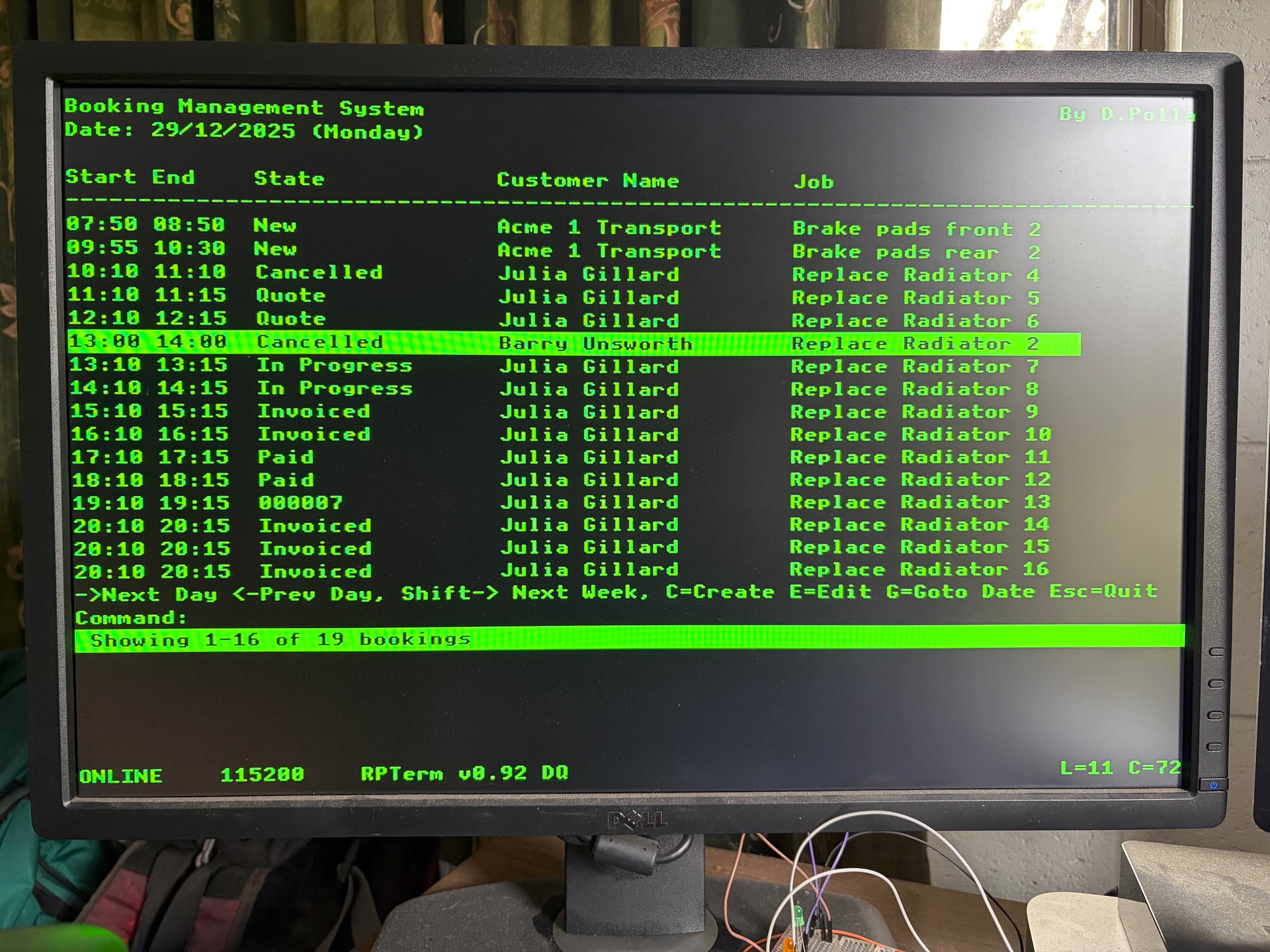
Here is an example of the regular console screen.

I’m interested to know if anyone decides to build this. Let me know if you get stuck or need a better explanation.
Thanks
David
booking.zip (759.5 KB)
FYI: Here is a link to the FUZIX source code if anyone is interested.
I have submitted the booking application to be included in the project but it needs some work to make it build on all their different supported platforms and there is a lot of them



