
This is a placeholder topic for “USB Camera for Raspberry Pi and NVIDIA” comments.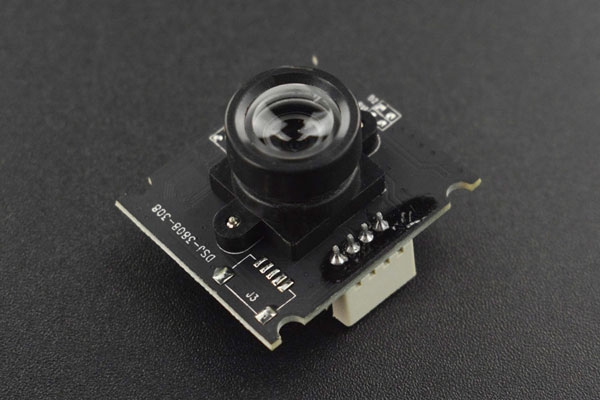
This product is a driver-free camera with 30W pixels and 640*480 resolution. The camera is well compatible with both Raspberry Pi and NVIDIA series mainboards. Just … read more
Read more
1 Like
Has anyone had a chance to tinker with this camera? I recently got one and was wondering if you could change the resolution and FPS, it looks like the chips on there are an ATMEL 864, and an AU3841
Any suggestions on how to mount this camera?
1 Like
Hi Vova,
I used Zip ties to the top of my monitor,
The semi-circles on the side of the PCB are for bolts, I don’t have the camera handy to confirm the size but you could definitely design a custom enclosure
1 Like
Kids have idea to use cardboard and scotch…
1 Like
Without going too crazy with things like custom 3D prints that may be a decent solution.
One other way I can think of mounting this is using a project box with a hole cut out for the lens.
Could the page please be updated with the following.
What is the FOV of the lens?
What is the operational FPS of the camera?
What is the mounting hole locations and distances from one another?
What is the power draw of this device?
What is the product weight?
1 Like
Hey there, @J.a.m.e.s,
We are a little understaffed this time of year, but we will try and get this information on the website within the coming weeks. Sorry for the inconvenience.
This is a solid choice for the Pi/Jetson combo. Since it’s a standard UVC (USB Video Class) camera, it should be plug-and-play with v4l2 without needing any weird custom drivers. For the Nvidia Jetson specifically, just make sure you’re using a powered hub if you plan on running it at the full resolution alongside other peripherals - those boards can get a bit picky with USB power draw!
1 Like



