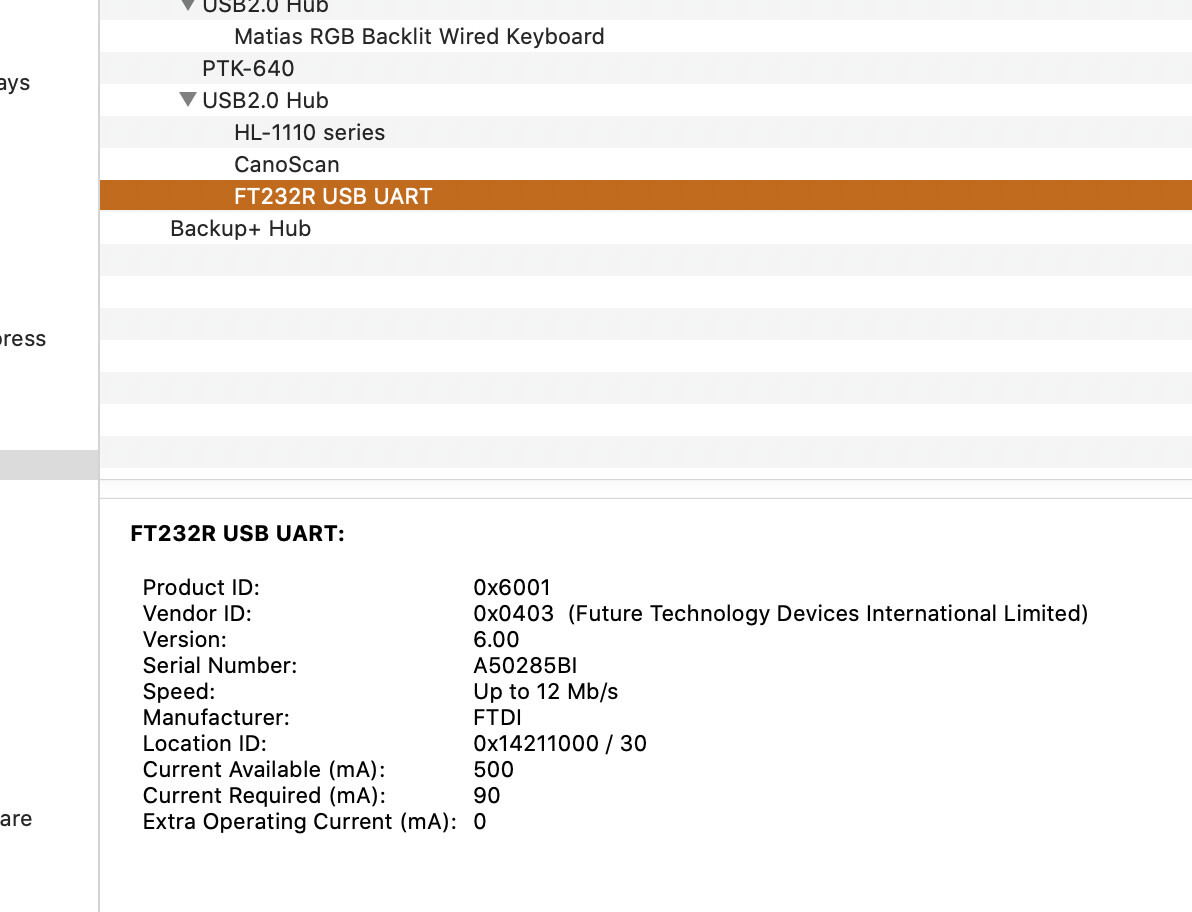
Hello and thanks to all for helping I have located the system report, see attached.
I have tried all available board and port options but get the same error message!
I was able to upload just the once but the circuit is not performing as it should. So I am trying to upload the sketch again to confirm the arduino nano is ready.
Hi Dick
That looks like the computer based IDE.
Have you tried what I suggested. close the web IDE, connect your Nano. Start the web IDE. When I did this My Nano Every appeared in the window at the top. When I selected this and compiled I was able to upload There are some cases where you can compile but not upload. In this case the upload arrow is greyed out and does nothing. If not greyed out as it appears to be in your screenshot uploading should happen OK.I found that once I got it working with the web IDE the computer based IDE recognised the board and I used this IDE ever since I have really not used the web IDE since hence my “I think” statements. I actually opened it and checked a few times over the last couple of days and found a bit of a learning curve was in order even to open it. This may be due to the OS change since last use. Big Sur is a bit different in some respects.
AS previously stated I too use a Mac and have never had to look for a driver with any USB device.
Cheers Bob
How unusual, glad to hear that it’s working successfully! I don’t have too much experience with Apple devices myself, but by the sounds of it there was an issue with the driver in your OS for the detection of particular USB devices such as the USB-Serial chip which sits on an Arduino wasn’t being recognized (which can be frustratingly undocumented sometimes, so thank you for letting everyone know about the fix! Hopefully someone can read this in the future. And as always thanks again to @Robert93820 and @Jeff105671 glad to see the community working together!).
Yes, various OS can be a little finicky sometimes, always dealing with the trade-off of making simpler interfaces and protocol for users that can hide what’s actually going on. That being said, Arduino is an extremely popular brand, and going through their documentation is always the best first port of call to see what your alternative options are for IDE and whether there’s any known issues with popular platforms.
Be sure to let us know if you run into any further issues with the board and we’ll see what we can do to help!
Hi Dick
You would think if the system sees and recognises your device it would have no trouble re drivers. I am not sure but Mac does things differently to Windows and I don’t think has specific drivers as such.
I just noticed …USB 2. How old is your Mac. I wonder if the age is causing problems. My Mac model is listed as Late 2014 but still has all ports USB 3 but the last 2 OS do not support 32 bit. As a matter of fact I just did a major update. I noticed after upgrading to the last 2 OSs the machine got slower and sssllloooooowwwwwer, almost driving me mad. It turns out that the hard drive formatting had been changed (in the background) and the new format did not suit the old spinning drive. Upgrade to 1T SSD and presto!!! Speed returned. Starts in about 1m40sec and shuts down in about 15sec. Other operations correspondingly faster.
Also try the latest IDE (1.815). The board manager seems to have every board that has been invented.
Do you mean “Native serial port, can’t obtain info?”
The information from the system report indicates that the Nano has been recognised as FTDI FT232R device and the driver installed. That’s what I would expect for a genuine Nano. The older version chip would require selecting old bootloader, and the driver could be any of several different possibilities, although I have never seen a ABOL9P26, and from your system report I can’t see why that should be listed.
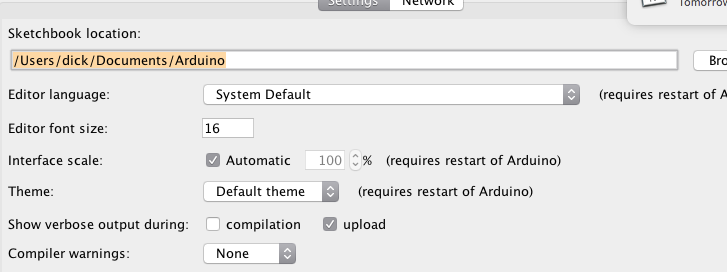
The IDE has a verbose debugging mode option in Preferences. Turn it on for Upload, try again, and see if you get a bit more information.
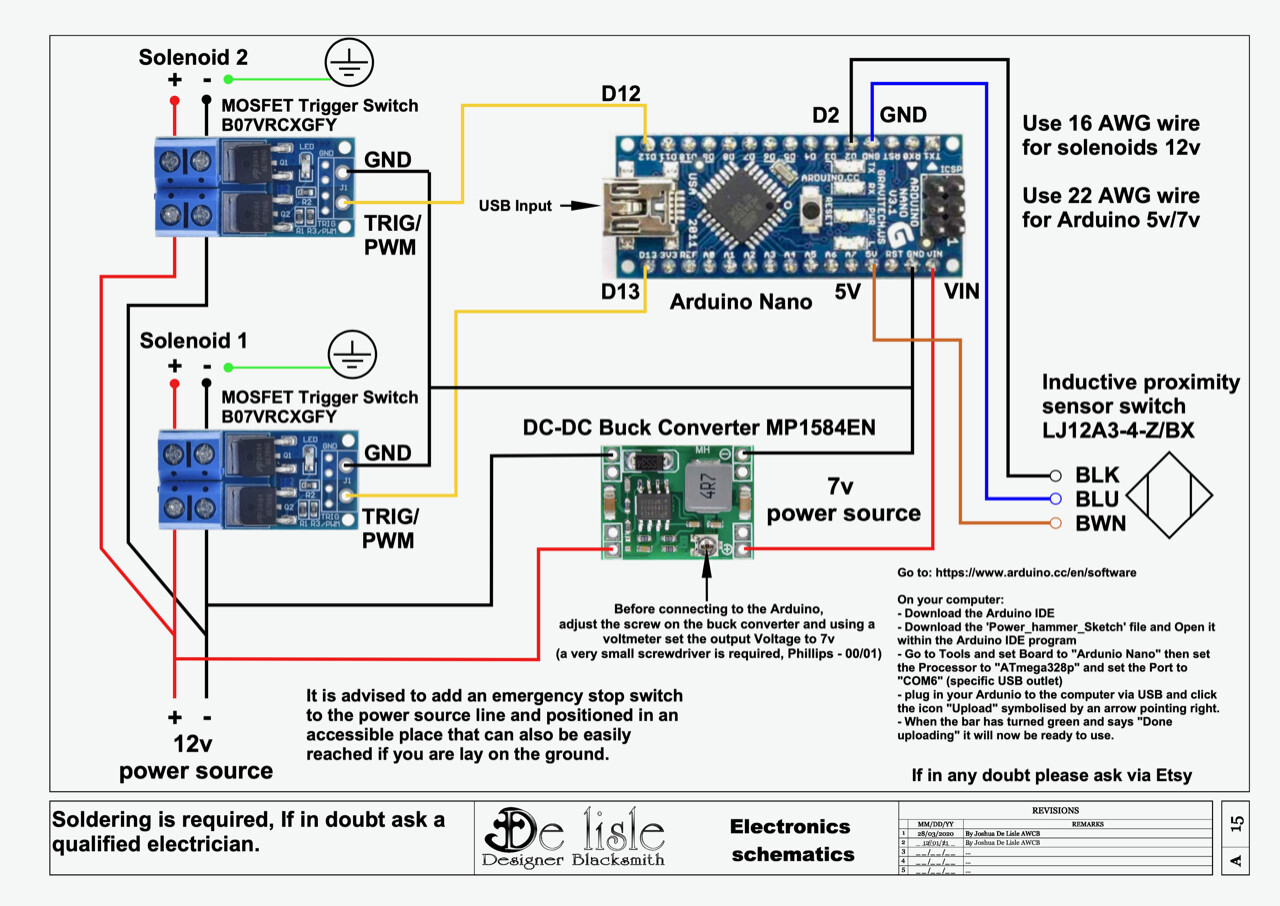
Do you know how to complete a fault diagnosis of the arduino nano? It appears to me the board is not sending a signal from terminal D13… This is connected to a solenoid switch with an LED so I can see if it is getting the signal.
Thanks again…we WILL sort this!..for me 51 hours so far!!
Hi Dick
Any known good USB cable is good. It doesn’t have to be Arduino “compatible”. I think that is only marketing. Be aware though there are “charge only” cables out there that don’t even have the data wires in them. These will definitely not work. I don’t think your cable is faulty as your Mac sees the board in the system report and needs to communicate to do that. Don’t discount a faulty cable though. you could try a known good one.
What is D13. I thought that pin had a built in LED connected. I also thought that D0 and D1 were the pins that communicated with the computer.
Have you tried that link in the error message area. There may be some clues there.
I haven’t been able to get a pic of the tools menu as you have so for info I typed out mine.
This is using IDE 1.8.13 I haven’t used the later 1.8.15 yet
For the Nano Every board:
Board. “Arduino Nano Every”
Registers Emulation. “ATMEGA328”
Port. "/dev/cu.usbmodem14601 (Arduino Every)
As you can see I don’t seem to have a “Processor” line but the “Port” line is very similar except for the actual port, that is probably computer specific.
Hi Dick
If solenoid 2 is working your upload and communication has been successful. Check your wiring. Can you check for a signal on D13. An oscilloscope would be nice if you have access to one but failing that a multimeter is essential. Try changing D13 for another digital output. On most Arduino boards that pin drives an on board LED and comes up with the “Blink” demo sketch. It may not be able to drive both. Remember because of the gate capacitor the mosfet is a short circuit at switch on hence the series resistor in the gate circuit.
The only way that I have diagnosed a Nano that I couldn’t program was to move it to another machine where a different Nano was working! If you can’t download the code there’s not much testing you can do.
What I would do at this stage (which might or might not be an option for you) is to remove all the drivers that might be involved - anything that looks like Serial / Comms / UART / Modem. Then connect the Nano and see what drivers the OS looks for or tries to load.
Another way to make sure that the Nano is definitely working and isn’t causing any issues would be removing the Nano from the circuit and re-uploading the Blink sketch on Arduino’s site to get back to a known state.
Hello All and thanks again for your input. I have rewired the circuit and double checked the components. It appears to me that the problem was in the wiring to one of the mosfet trigger switches. The original arduino nano upload is working so the upload challenge is now on the back burner. Hopefully I will not need to deal with it at present. It is still a mystery to me why I was able to upload just the once but further attempts did not work. Cheers Dick
Terminal block screw down on the plastic insulation instead of the wire??? I would have almost put money on that. Not the first time nor will it be the last. I have seen it more times than I could count. So if this was the case don’t feel too bad about it. Happened to all of us.
Cheers Bob
I am unsure if that was the case Bob, maybe. BUT the problem has returned!!! Both solenoids have juice at the same time even when the mosfet trigger switches are disconnected from the arduino??? I have checked and the arduino nano is working as it should, by moving the sensor by hand, and I am getting a 5V pulse from the arduino from D12 and then D13 depending on relative position of sensor to steel. SO the mosfet switches are remaining closed without a pulse!!! There is 12V across the mosfet relays consistently? Any suggestions??? I have checked and double checked the wiring of the circuit, all good. I have removed one mosfet switch and get a resistance reading of 0,00 ohm across the switch???